
Ai Automation
Ai
Tech Skills
Sunday, November 15, 2026 at 7:00 PM

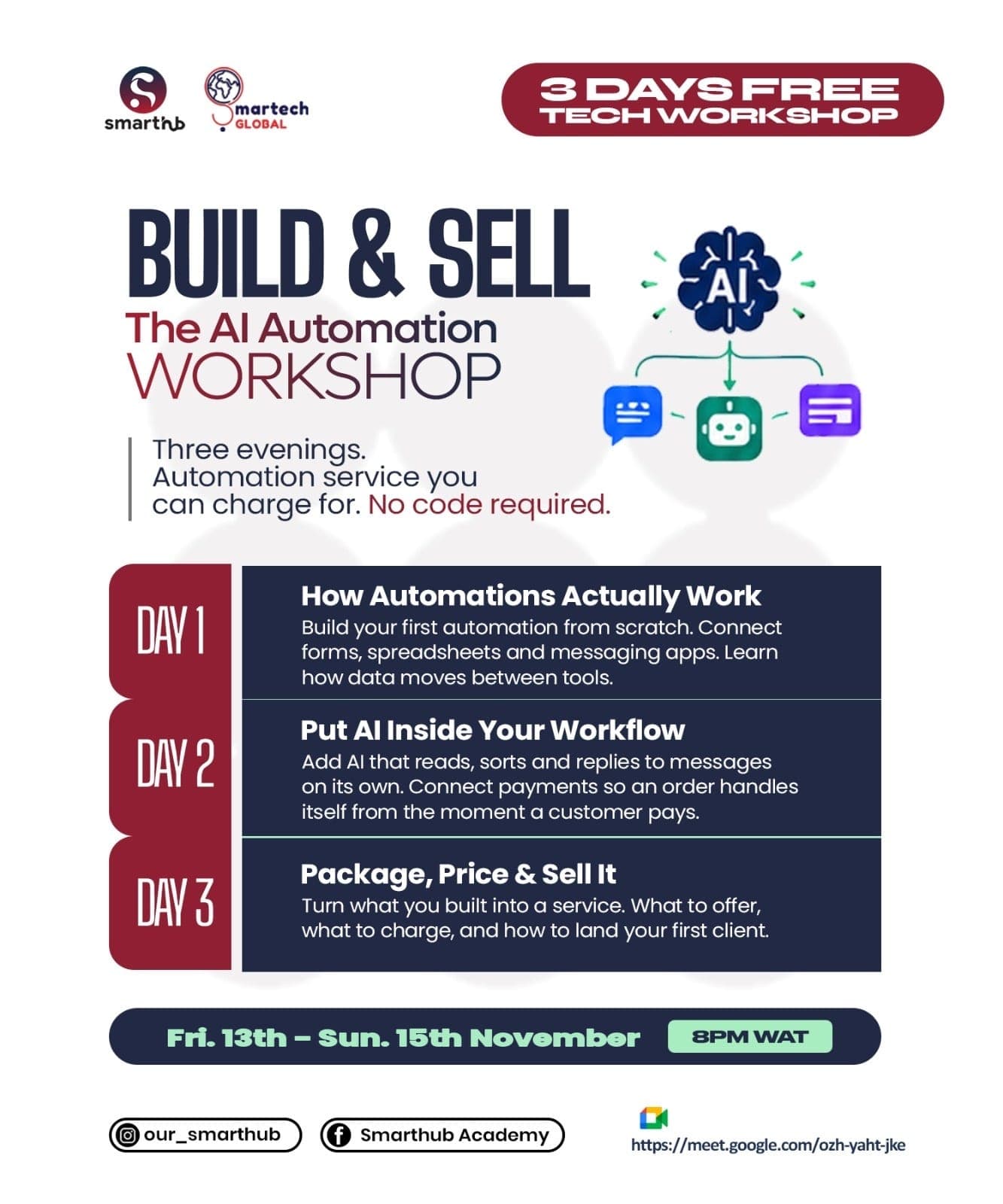
Day 3-Build and Sell The Ai Automation Workshop

Watch the full recording and read the session recap below.

Day 3 of our 3-Day Build & Sell AI Automation Workshop was where everything came together. We built a real AI assistant that answers customers automatically, using a business's own data.

Here's a quick recap of what we covered:

1. Understanding RAG

- Why a standard LLM can't answer questions about recent events or private business information.

- What Retrieval-Augmented Generation (RAG) means: retrieve the right data, add it to the prompt, then generate an answer.

- Where a knowledge base can live: Google Sheets, Google Docs, databases or files.

2. Planning the Assistant

- Receiving messages from more than one channel: Telegram and Gmail.

- Pulling the latest prices and inventory from Google Sheets, and policies, opening hours and FAQs from Google Docs.

- Replying on the same channel the message came from.

3. Live Practical Session

We built the full assistant in n8n:

- Created a Telegram bot with BotFather and connected it to n8n.

- Added a Gmail trigger that checks for new messages every minute.

- Normalised both inputs into one format (source, sender, message and reply ID) with the Edit Fields node.

- Fetched Google Sheets and Google Docs data in parallel to save execution time.

- Combined everything into a single context using the Aggregate and Merge nodes.

- Connected an OpenAI node with a clear prompt: store assistant role, products, policy, customer name and question.

- Used the Switch node to send each reply back through Telegram or Gmail.

- Filtered Gmail so the assistant only answers relevant business messages.

- Published the workflow so it keeps listening and replying automatically.

4. Taking It Further

- Connecting an order workflow so confirmed orders flow into Google Sheets.

- Adding payment confirmation.

- Linking other channels such as WhatsApp or a website chat.

- Adding memory, so the assistant remembers earlier messages in a conversation instead of treating each one as new.

The result: a working AI assistant that greets customers by name, answers questions about products, prices, opening hours and delivery, and replies in real time, even when you're not online.

What's Next?

In our next video, we'll show you how to install n8n on your own system, so you can keep building and experimenting for free even after the cloud trial ends.

Thank you for being part of the Build & Sell AI Automation Workshop. Join the WhatsApp group to stay updated on new sessions and training programs.

Speakers

  • George Smith
Passed

Related webinars

13 November 20260 speakers

Day 1-Build and Sell The Ai Automation Workshop

What an exciting start to our 3-Day Build & Sell AI Automation Workshop! Day 1 was all about understanding the fundamentals of AI automation and learning how to build practical business workflows. Here’s a quick recap of what we covered: 💡 1. Understanding AI & Automation * What Artificial Intelligence and automation mean. * The difference between expert systems and machine learning. * How AI and traditional automation work together. ⚙️ 2. Understanding AI Automation & Workflows * How automated workflows operate. * Introduction to Large Language Models (LLMs). * Understanding AI agents and Retrieval-Augmented Generation (RAG). * The importance of human-in-the-loop systems. 🛠️ 3. Automation Tools & Platforms We explored different approaches to building automation systems: * Code: Python and JavaScript. * No-code and low-code platforms. * Introduction to the n8n automation platform. 🔥 4. LIVE PRACTICAL SESSION This was where theory met practice! Participants learned how to build a business order-processing automation system using the Anything platform. We successfully demonstrated how to: ✅ Create an automated order submission form. ✅ Send personalized confirmation emails to customers using Gmail. ✅ Automatically notify business owners when new orders come in. ✅ Integrate Google Sheets to record and track customer orders. The exciting part? All these processes happened automatically without manual intervention! 📌 WHAT’S NEXT? Tomorrow, we take things a step further! We’ll introduce Artificial Intelligence and Large Language Models (LLMs) into the workflows we’ve already built, taking our automation systems to the next level.

Day 1-Build and Sell The Ai Automation Workshop

14 November 20260 speakers

Day 2-Build and Sell The Ai Automation Workshop

Day 2 of our 3-Day Build & Sell AI Automation Workshop took us from simple, linear workflows to smart automations that make decisions and write their own emails. Here's a quick recap of what we covered: 1. Recap and Foundations - A quick review of AI, expert systems and machine learning. - Code, no-code and low-code approaches to automation, with a strict no-code focus. - Publishing a workflow with a production URL so many people can use it at once. 2. Conditional Workflows - The difference between sequential workflows and conditional flows. - Three ways to add decisions: Filter (one condition), If (two paths) and Switch (many paths). - Routing orders automatically based on quantity. 3. Live Practical Session We built a bakery order system in n8n that: - Collects orders through an online form. - Uses an If condition to check whether an order has 5 or more items. - Sends a professionally designed HTML confirmation email for large orders, with the template generated using ChatGPT. - Sends a simple plain-text confirmation for smaller orders. - Notifies the business owner in parallel with the customer email, which saves execution time. 4. Adding AI to the Workflow - Connecting the OpenAI API to n8n. - Using an AI node to write customised confirmation emails automatically, instead of fixed text. - Publishing the workflow so participants could place real test orders and compare the emails. 5. Real-World Possibilities We also discussed how the same approach can: - Monitor stock levels with Google Sheets and alert customers when items are out of stock. - Confirm payments automatically with tools like Paystack. - Connect to calendars, Telegram and other apps for scheduling and daily messaging. The result: a workflow that reads each order, decides what to send, and writes a personalised reply, all without manual effort. What's Next? On Day 3, we go deeper into Retrieval-Augmented Generation (RAG) systems and AI agents. You'll see how to build conversational AI that answers questions from your own documents, collects contact details and sends urgent alerts to your team.

Day 2-Build and Sell The Ai Automation Workshop
Send Feedback

0/3000

We review every submission 💙

Day 3-Build and Sell The Ai Automation Workshop | SmartHub